How to Create a Kaleidoscope Effect with the Letter 'K'
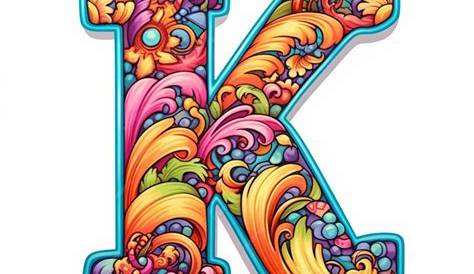
If you’re curious about how to create a kaleidoscope effect using the letter 'K', you’re in the right place. This effect relies on symmetry, repetition, and vibrant colors, allowing you to express your creativity in unique ways. By manipulating the letter 'K', you can craft intricate patterns that engage viewers and enhance your artwork. Let’s explore how to design your own kaleidoscope effect using this distinctive letter.
What is a kaleidoscope effect and why use the letter 'K'?
The kaleidoscope effect is a visual phenomenon that transforms an object into a symmetrical, repeating pattern. This effect is often achieved through mirrors or digital manipulation, creating dynamic and colorful visuals. The letter 'K' is particularly suited for this because of its angular shape, which facilitates transformation. Its lines and points can be rotated and flipped, providing a solid foundation for intricate patterns. Artists frequently employ kaleidoscope designs to evoke feelings of whimsy and wonder, making this technique popular in graphic design, textiles, and fine art.
How do I start designing a kaleidoscope using 'K'?
To create a kaleidoscope effect with 'K', start by sketching the letter in a bold style, using either paper and pencil or graphic design software. Follow these steps:
1. Duplicate the letter several times, experimenting with different angles and orientations. Consider rotating the letter at 45-degree intervals to form a circular pattern.
2. Arrange the duplicated letters into a larger composition, overlapping them to add depth and complexity.
3. Choose a color palette and add colors, using contrasting hues to enhance vibrancy.
4. Adjust the scale of the letters; some can be larger and more prominent, while others can be smaller and subtle, contributing to the overall design.
This iterative process allows you to refine your design, ensuring it captures the essence of a kaleidoscope while showcasing the unique characteristics of the letter 'K'.
What tools and materials do I need for my kaleidoscope project?
Creating a kaleidoscope effect with 'K' doesn’t require an extensive toolkit, but having the right materials can streamline the process. Here’s a list of useful items:
- Drawing tools: A set of pencils, erasers, and paper for initial sketches.
- Digital tools: If you prefer working digitally, software like Adobe Illustrator or Photoshop can help manipulate shapes and colors efficiently.
- Colors: Markers, colored pencils, or digital brushes for adding vibrant hues to your design.
- Ruler: For precise lines and angles, especially if you aim for a geometric look.
- Scanning or printing capabilities: If you work on paper and want to digitize your designs for further manipulation, a scanner or printer will be useful.
These tools will assist you in bringing your kaleidoscope vision to life, whether you choose traditional or digital methods.
What common pitfalls should I watch out for?
When creating a kaleidoscope effect, there are several common mistakes to avoid. First, be careful not to overcrowd your design. While it might be tempting to fill every space, excessive detail can overwhelm the viewer and make the piece hard to read. Focus on achieving balance and allow some areas to breathe.
Another common mistake is neglecting to maintain symmetry. The beauty of a kaleidoscope lies in its balanced patterns, so ensure the elements mirror each other correctly. If you're working digitally, utilize tools that help align and distribute your shapes evenly.
Lastly, take your time with the coloring process. Color choice can significantly impact the overall effect of your work. It's beneficial to experiment with color combinations beforehand to determine what works best, rather than applying colors randomly.
How can I take my kaleidoscope design to the next level?
Once you’ve mastered the basics of creating a kaleidoscope effect with 'K', you can explore advanced techniques to enhance your design. Consider incorporating gradients or textures into your colors to add depth. You might also experiment with varying the opacity of the letters, allowing layers to blend for a more fluid appearance.
Another way to elevate your work is by integrating additional elements, such as shapes or patterns that complement the letter 'K'. This could involve adding circles, stars, or other geometric forms that resonate with the kaleidoscopic theme.
Finally, don’t hesitate to use digital manipulation tools. Features like mirroring, rotating, and filtering in software can give your artwork a polished look, allowing you to experiment with effects that may be challenging to achieve manually.
Conclusion
Begin your kaleidoscope design by sketching the letter 'K' and exploring its potential for symmetry and pattern creation. Focus on achieving balance and making thoughtful color choices. Don't rush through your creative process; a successful design will be a vibrant, harmonious piece that captures attention and showcases your artistic interpretation of the kaleidoscope effect.
Frequently Asked Questions
Can I create a kaleidoscope effect using other letters?
Yes, you can create a kaleidoscope effect with almost any letter. The key is to select letters with interesting shapes and angles that lend themselves to symmetry and repetition.
What styles can I use to enhance my kaleidoscope design?
Experiment with various styles, such as minimalist designs with simple colors or intricate patterns with detailed backgrounds. Combining styles can lead to unique results.
Is it better to work digitally or with traditional materials for this project?
It depends on your comfort level. Digital tools provide more flexibility for manipulation, while traditional methods can offer a tactile quality to your artwork. Choose the approach that suits your style best.
How long does it take to create a kaleidoscope design?
The time required varies based on complexity and your experience level. A simple design might take a few hours, while a more intricate piece could take several days.
Can I use photographs in my kaleidoscope design?
Absolutely! Incorporating photographs can add depth and a personal touch. You can manipulate images digitally to fit the kaleidoscope theme effectively.